
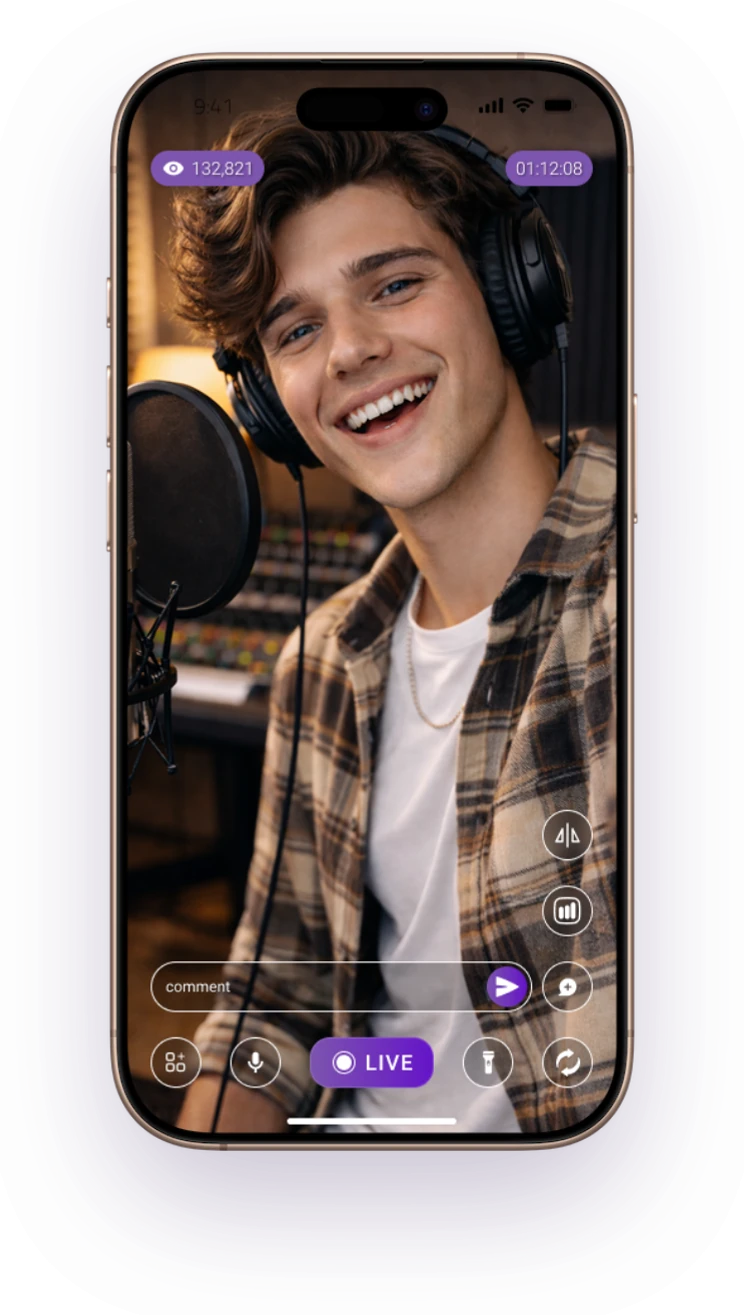
Portrait streaming
Built for vertical live experiences and mobile audiences.
Go live from one smartphone and reach multiple platforms simultaneously. FeelThere Mobile combines camera streaming, screen sharing, live interaction and cloud-powered distribution in one simple mobile experience.



Your phone camera, a shared screen, or an encoder like OBS or Zoom. Whatever you send, FeelThere takes one feed and does the distribution in the cloud. Your device uploads once instead of pushing a separate stream to every platform.
 Facebook
 YouTube
 TikTok
 LinkedIn
 Instagram
 Amazon Live
 SnapStream
 Kick
Kick Vimeo
Vimeo Twitch
 dLive
dLiveSome moments belong in portrait. Others need the full width of landscape. FeelThere Mobile broadcasts straight from your phone camera in the format that fits the content, with no laptop, capture card or production rig involved.
Built for vertical live experiences and mobile audiences.
A wider format for events, sports, performances and interviews.
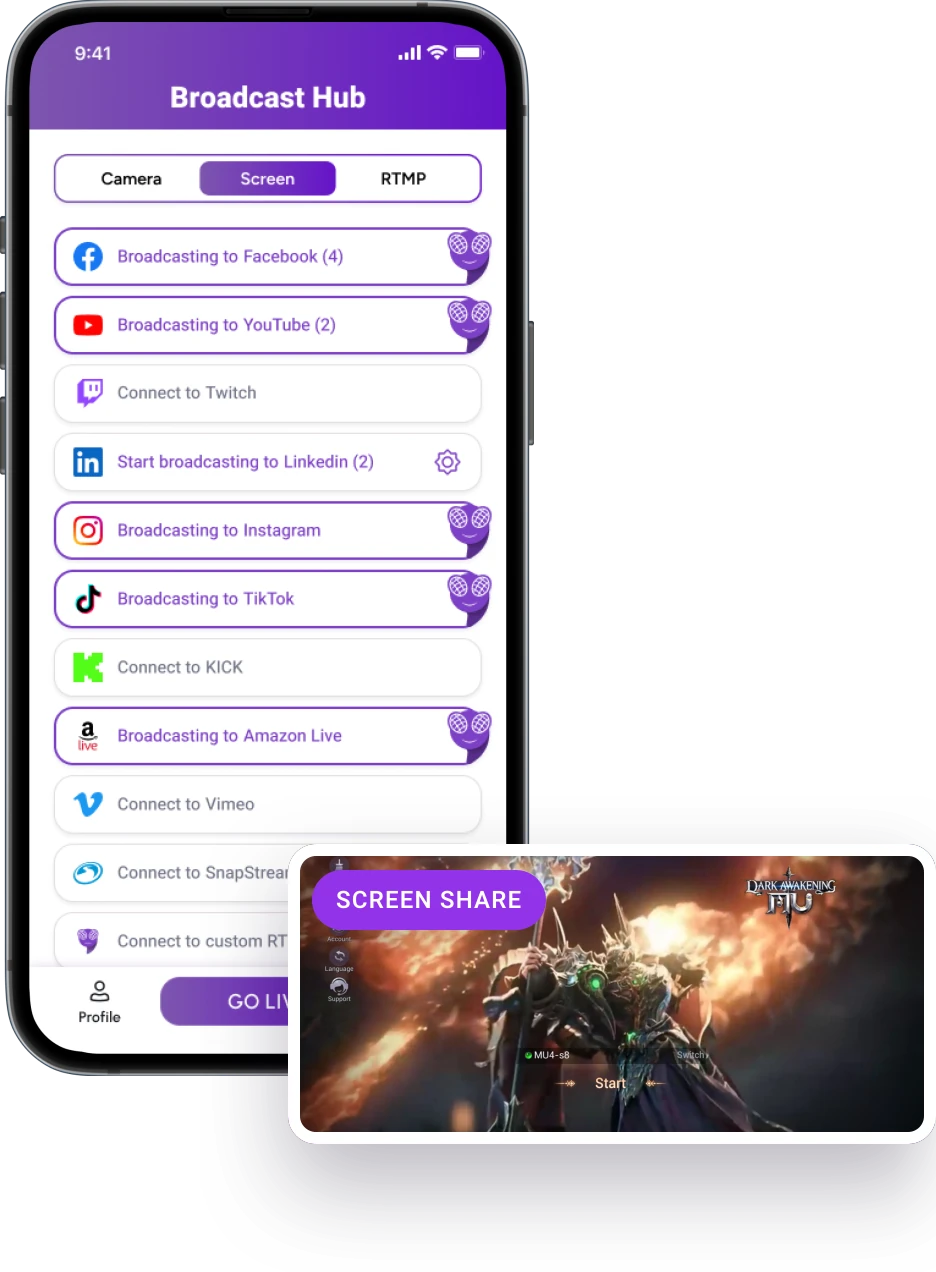
Share what is happening directly on your mobile screen and turn apps, gameplay, demonstrations, walkthroughs or presentations into a live broadcast. You stay on the device. FeelThere handles the path from your screen to your audience.
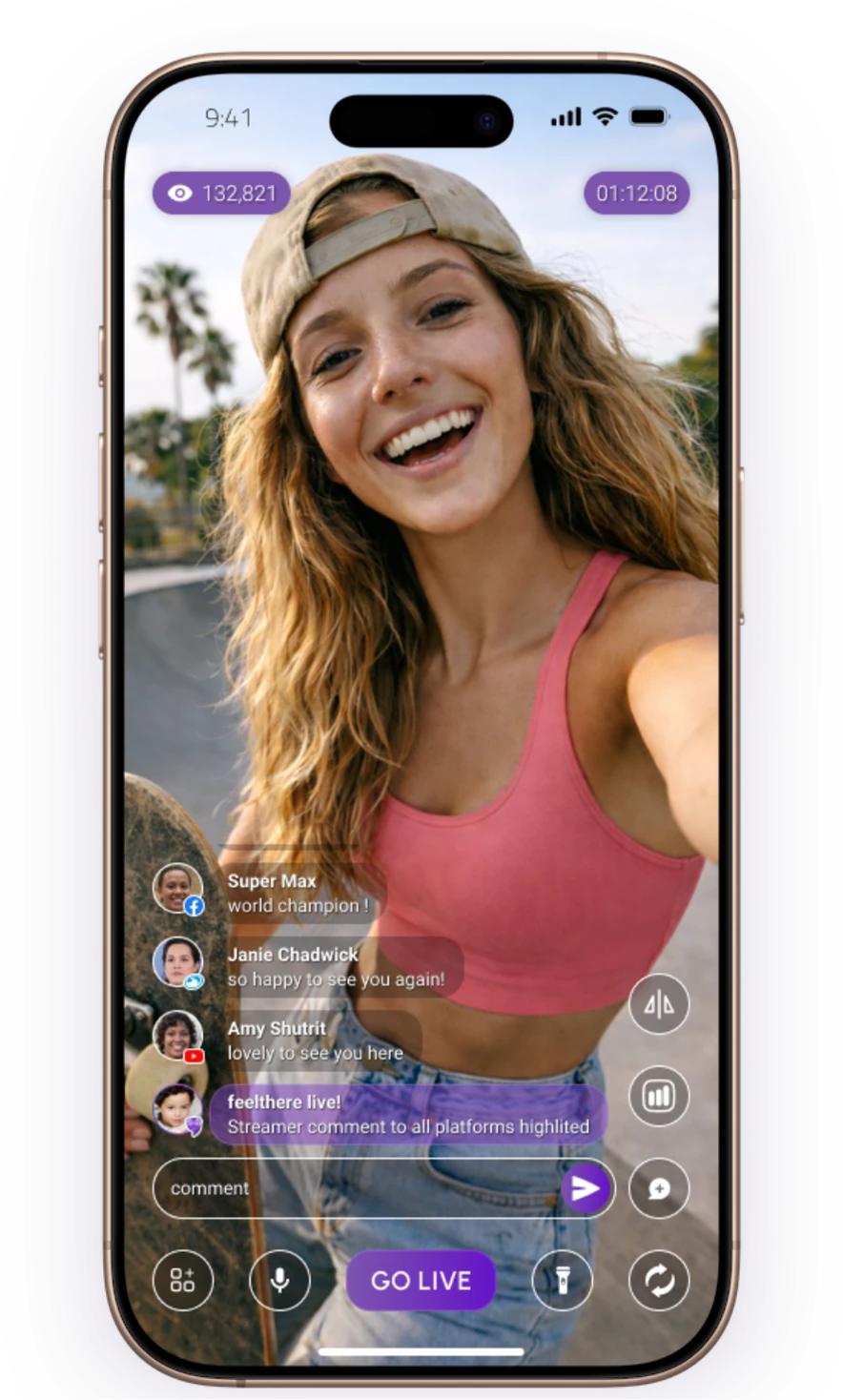
A live stream should not turn into a constant shuffle between platforms. Follow supported comments, reactions and viewer activity from FeelThere while your broadcast is running.
Need another destination after you’ve already gone live? Add it without ending the broadcast.
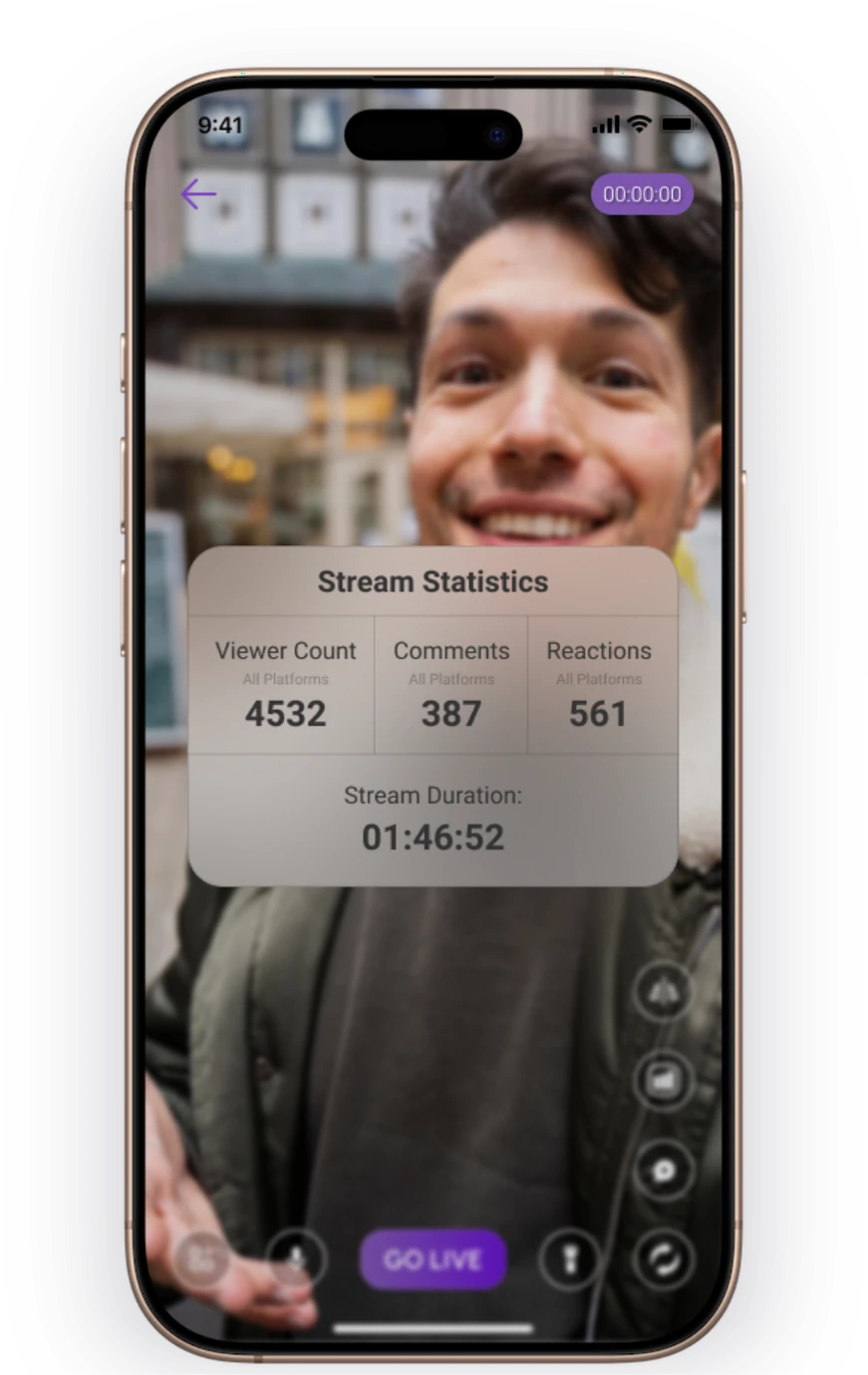
Use Creator Hub analytics to review how your broadcast performed across supported platforms. Understand reach, engagement and viewer activity, then use what you learned to make the next live stronger.
Add your own branding to the broadcast.
See how audiences responded across destinations.
Start your next live stream from the device already in your hand.
Yes. FeelThere Mobile sends one live feed from your smartphone to the FeelThere cloud, which distributes the broadcast to the destinations you select.
FeelThere supports up to 8 simultaneous destinations depending on your plan.
Yes. You can use FeelThere Mobile for both portrait and landscape live streaming.
Yes. FeelThere Mobile supports screen-based broadcasting for content that happens directly on your device.
FeelThere supports major destinations including Facebook, YouTube, LinkedIn, Twitch and custom RTMP destinations. Other platforms can be reached through custom RTMP when the platform provides eligible live-streaming access.
Yes. FeelThere allows additional destinations to be opened while the broadcast is already running.