16:9
YouTube · Facebook · LinkedIn · Twitch · Kick
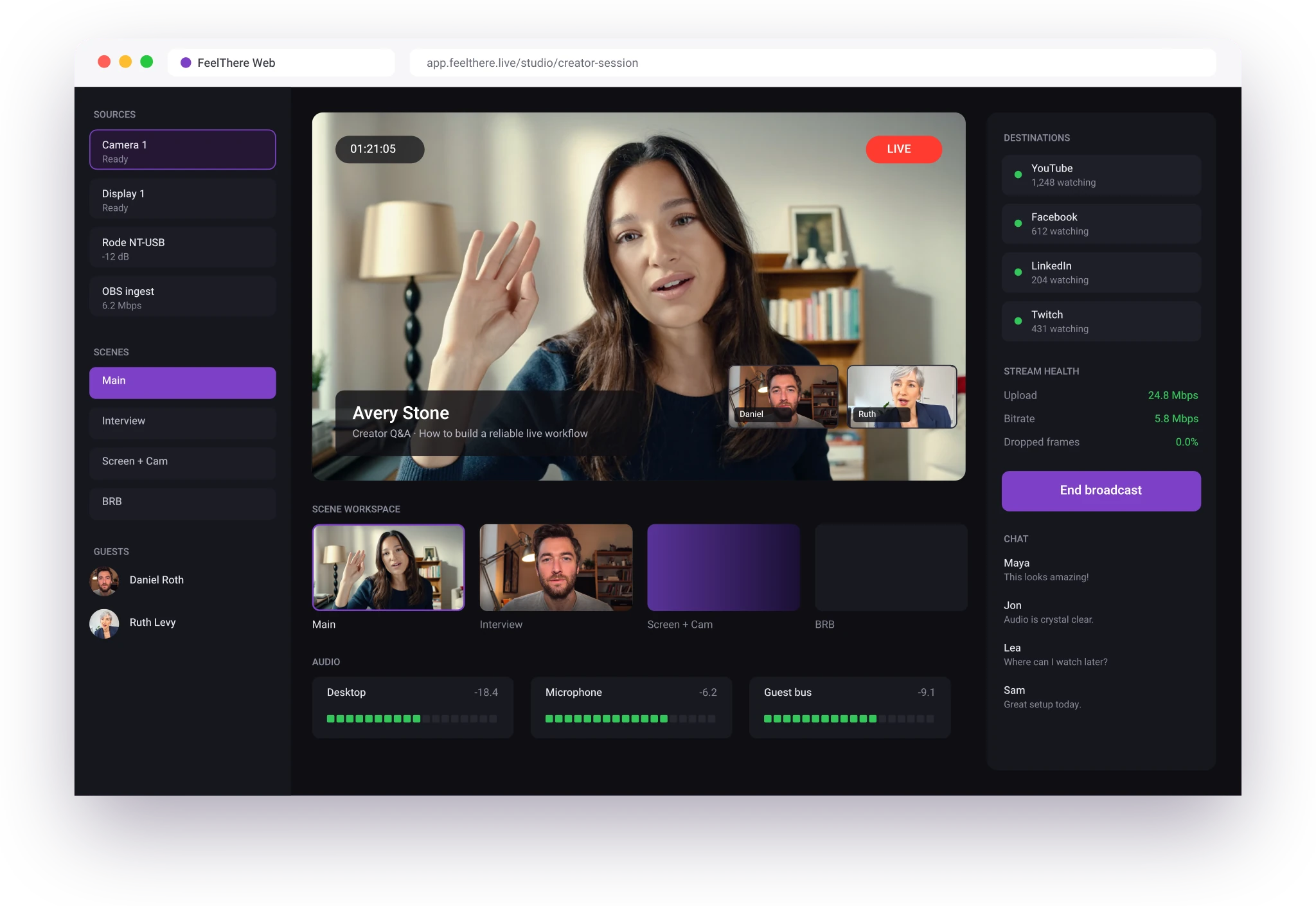
Bring in your cameras, screens and guests, build the show, and push the finished broadcast to the FeelThere cloud, without installing anything.

FeelThere Studio brings the production experience into the browser. Instead of starting with a traditional desktop installation, open your workspace and begin preparing the live experience from the web.
Bring together the elements your broadcast needs inside one browser workspace. Work with your camera, microphone, screen sharing and production layout without constantly moving between disconnected applications.
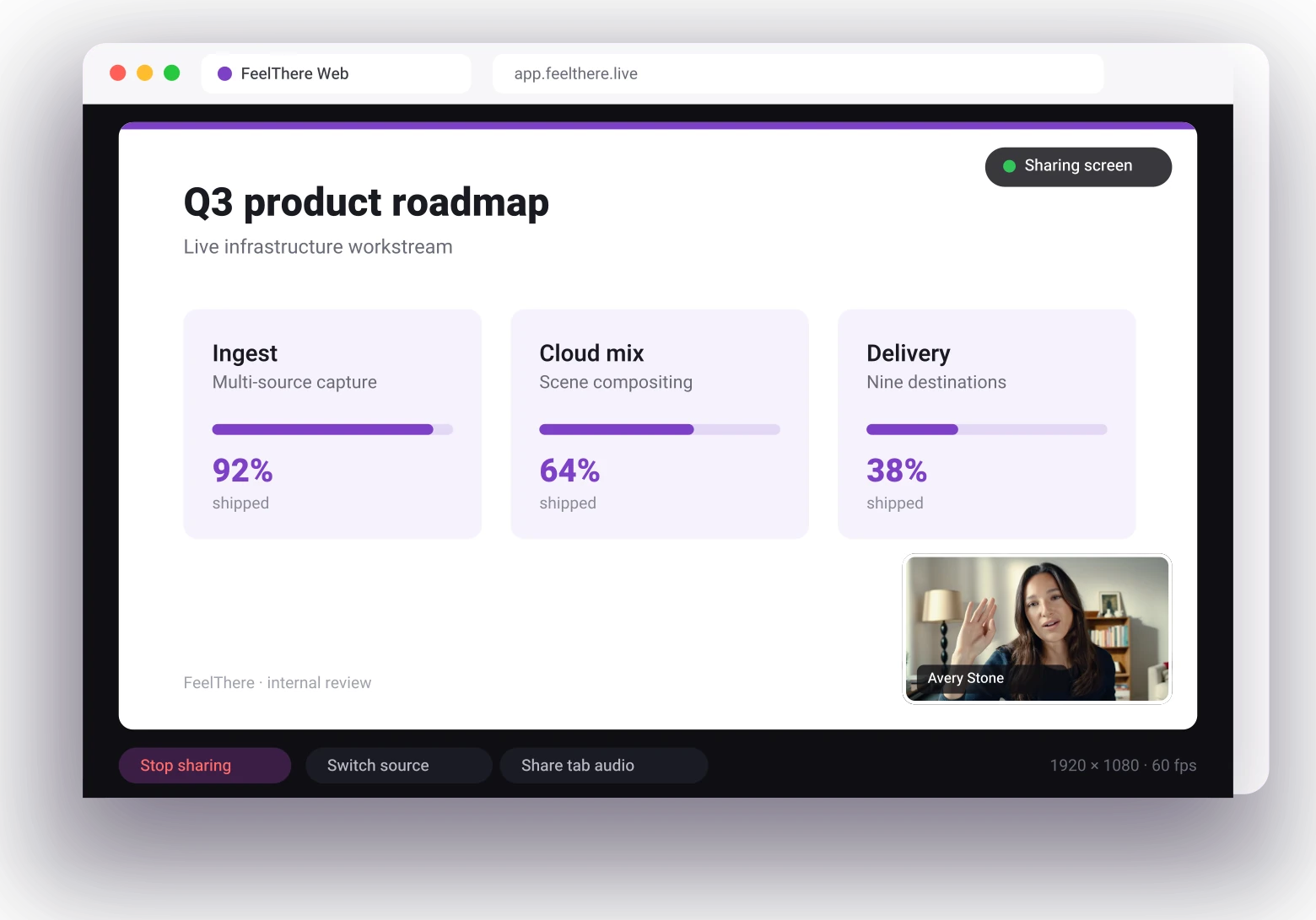
Put a full screen, a single window or one browser tab into the broadcast, with the audio that belongs to it. Your camera stays on as a picture-in-picture the whole time.
When your production is ready, FeelThere connects the browser experience to the same cloud-powered distribution ecosystem behind the rest of the platform. Build the live once, then distribute it to multiple destinations simultaneously.
Your live is distributed from here
 YouTube
 Facebook
 TikTok
 Instagram
 LinkedIn
 Twitch
 Kick
Kick Amazon Live
 Vimeo
Vimeo SnapStream
 dLive
dLive Custom RTMP
Up to 8 simultaneous destinations
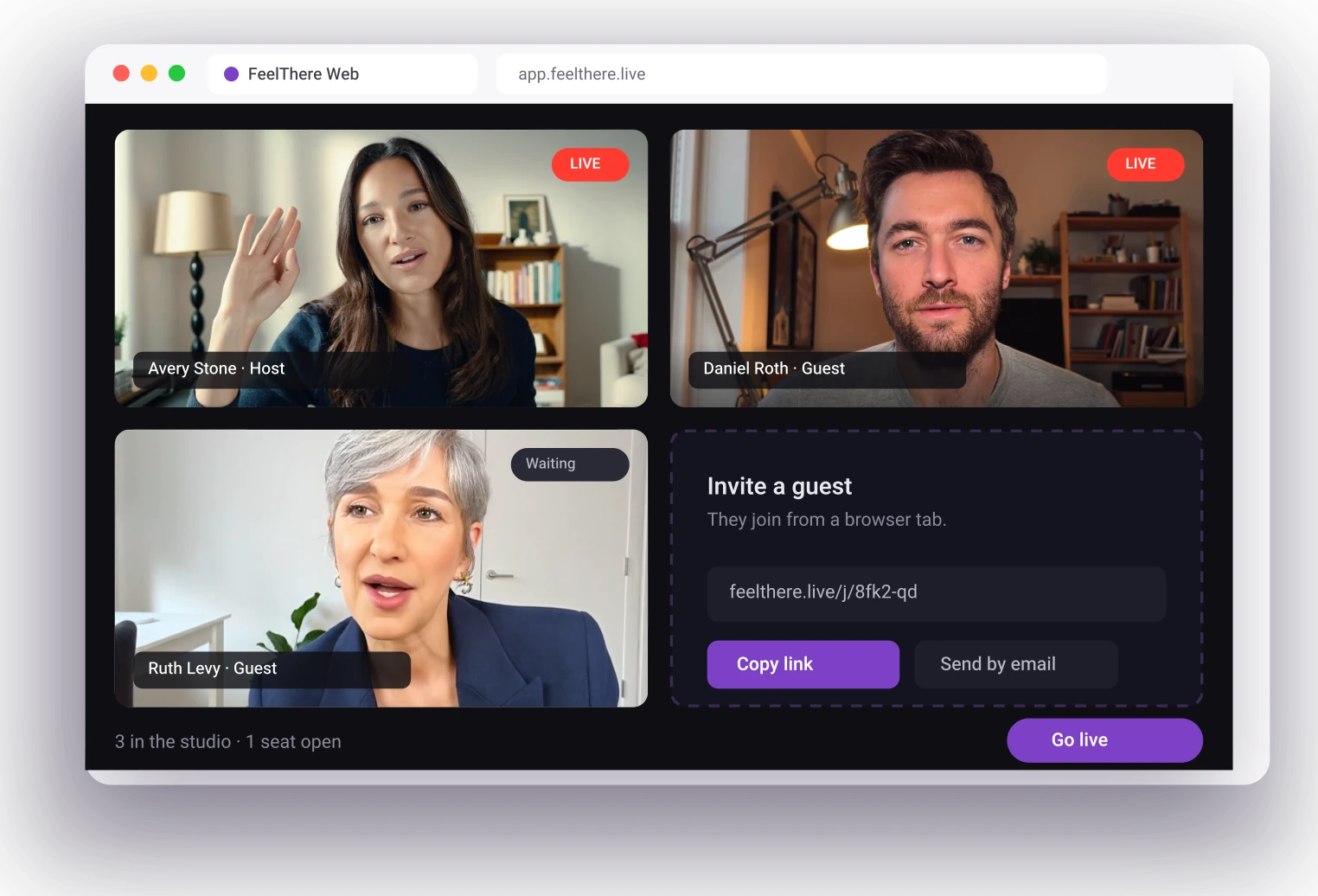
Send a link and your guest joins from their browser. No account, no download, no setup call before the show. You decide who goes on air and when.
Guest Invite
Every broadcast is captured in the cloud as it goes out. When you end the stream the recording is already waiting, ready to cut into clips or re-upload.
Available
A simpler way to create, manage and distribute live content without building your workflow around heavyweight streaming software.
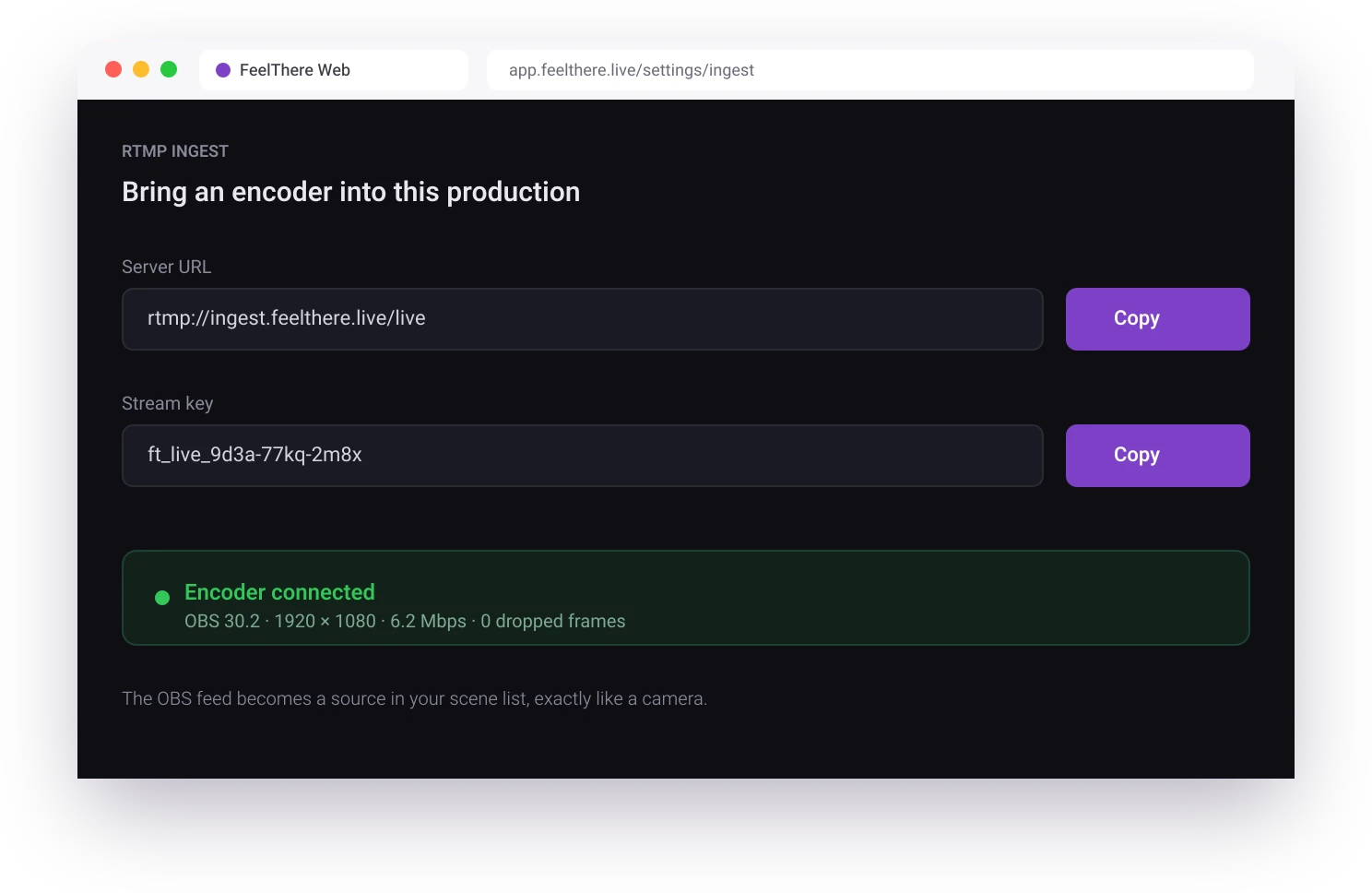
Point OBS at the FeelThere ingest with a server URL and a stream key. Everything you already built there arrives in your production and goes out to every destination.
Build the show once, then send a 16:9 cut to YouTube and Facebook and a 9:16 cut to TikTok and Instagram. Framing is set per destination, so nothing important lands outside the crop.
YouTube · Facebook · LinkedIn · Twitch · Kick
The same live show, reframed for phones.
Browser-based live streaming lets you create and manage a live production through a compatible web browser rather than relying entirely on installed desktop streaming software.
FeelThere Studio is designed around a browser-based workflow.
FeelThere Studio connects to the FeelThere cloud so a production can be distributed to multiple supported destinations.
Yes. Screen sharing is part of the browser production workflow.
Guest functionality is part of the FeelThere Studio workflow for remote contributors and hosted productions.
Recording gives live productions a reusable asset for review, clipping and follow-up content.